
Technology
Five Key Reasons Your Bluetooth Keeps Disconnecting

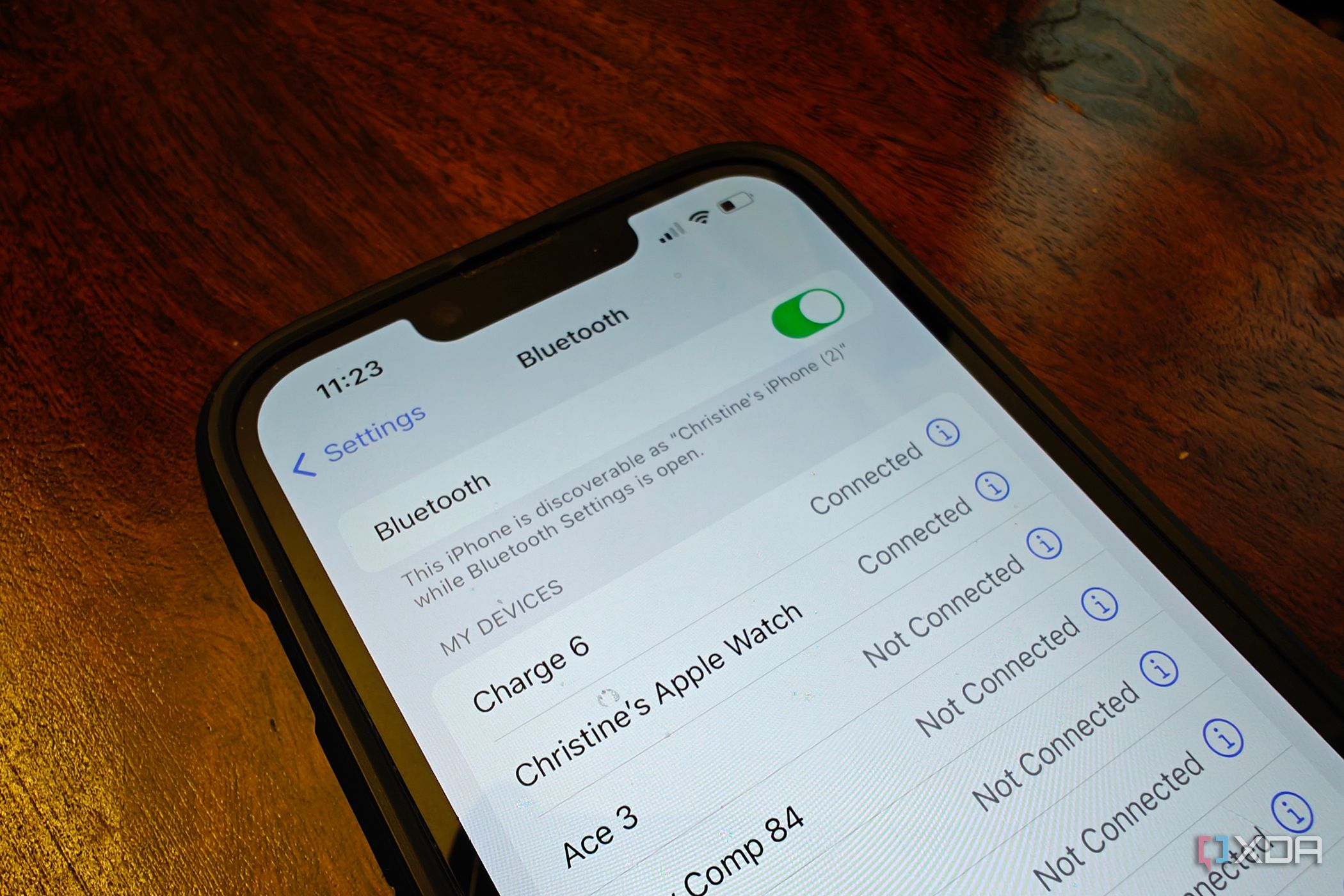
Bluetooth technology is widely used for wireless connections, yet many users experience frustrating disconnections. Recently, a deeper investigation revealed five underlying factors that often disrupt Bluetooth connections. Understanding these issues can help users maintain a stable connection.
Identifying the Causes of Bluetooth Disruptions
One of the primary culprits of Bluetooth disconnections is interference from nearby devices. For instance, if a user plugs in a new high-speed external SSD or a USB-C hub, the Bluetooth connection may falter. This occurs because USB 3.0, 3.1, and 3.2 data transfers emit radio frequency noise in the 2.4 GHz range, which is the same frequency that Bluetooth operates on. To mitigate this interference, users can relocate their Bluetooth dongle to a USB 2.0 port, typically colored black, or utilize a short USB extension cable to distance the dongle from the interfering device.
Another significant factor is Windows power management settings. Users may notice that their Bluetooth devices, such as a mouse or keyboard, disconnect when not actively in use. This is due to Windows automatically putting the Bluetooth radio to sleep to conserve energy. To resolve this issue, users should access the device manager, locate their Bluetooth adapter, and uncheck the option labeled “Allow the computer to turn off this device to save power.” This adjustment will prevent Windows from disabling the Bluetooth adapter during periods of inactivity.
Optimizing Your Device Settings for Better Connectivity
Android users may face similar challenges due to aggressive battery optimization settings present in versions 14 through 16. If music stops playing in Bluetooth headphones when the phone is locked or placed in a pocket, it may be the operating system’s attempt to conserve battery life. Users can navigate to settings, then applications, special app access, and battery optimization to set Bluetooth to “don’t optimize.” This will allow the Bluetooth system app to function continuously, although it may result in faster battery depletion.
Wi-Fi congestion also poses a threat to Bluetooth stability. Many older or budget laptops utilize a combo card for both Wi-Fi and Bluetooth. When using a 2.4 GHz Wi-Fi network, the two antennas compete for the same frequency, often leading to dropped Bluetooth connections. To improve performance, users should switch to a 5 GHz or 6 GHz Wi-Fi band, such as Wi-Fi 6E or 7, thereby freeing up the 2.4 GHz band exclusively for Bluetooth devices.
Lastly, the issue of multiple connections can create confusion for Bluetooth devices. If users frequently switch their earbuds between a phone and a laptop, they may encounter difficulties maintaining connections. This is often due to the limitations of multi-point Bluetooth technology, which can lead to connection failures when multiple devices attempt to connect simultaneously. Users are advised to review their paired device list, disconnect devices not in use, and eliminate old connections to streamline their Bluetooth experience.
In conclusion, Bluetooth technology remains a convenient and effective means of connecting devices. By addressing interference, adjusting device settings, and managing connections, users can significantly improve their Bluetooth performance. If disconnections persist, it may be time to consider the age and quality of the Bluetooth hardware in use.












Revolutionary Photonic Ski-Jump Could Miniaturize LiDAR Systems

Couples Detox from Plastics in New Netflix Doc: Can It Boost Fertility?

Aventon Launches Affordable Full-Suspension Electric Mountain Bike

Discover Eight Must-Try Restaurants This Spring Season

UC Irvine Team Unveils Innovative Ion Pump for Water Treatment

One-Third of Americans Trim Daily Expenses for Healthcare Needs

Apple Secures First Oscar in Three Years with F1: The Movie

Fourth Graders Celebrate St. Patrick’s Day with Creative Weather Drawings

Kim Kardashian Dazzles at Vanity Fair Oscars Party 2026

Nostradamus’ 2026 Predictions: Star Death and Dark Events Loom

Breakthroughs and Challenges Await Science in 2026

OpenAI to Implement Age Verification for ChatGPT by December 2025

Electric Moto Influencer Surronster Arrested in Tijuana

Discover the Top 10 Calorie Counting Apps of 2025

Bella Hadid Shares Health Update After Treatment for Lyme Disease

Analysts Project Stronger Growth for Apple’s iPhone 17 Lineup

Top 10 Penny Stocks to Watch in 2026 for Strong Returns

Japanese Study Finds Rose Oil Can Increase Brain Gray Matter
-
 Science3 months ago
Nostradamus’ 2026 Predictions: Star Death and Dark Events Loom
-
 Science3 months ago
Breakthroughs and Challenges Await Science in 2026
-
 Technology4 months ago
OpenAI to Implement Age Verification for ChatGPT by December 2025
-
 Technology6 months ago
Electric Moto Influencer Surronster Arrested in Tijuana
-
 Technology8 months ago
Discover the Top 10 Calorie Counting Apps of 2025
-
 Health6 months ago
Bella Hadid Shares Health Update After Treatment for Lyme Disease
-
 Health6 months ago
Analysts Project Stronger Growth for Apple’s iPhone 17 Lineup
-
 Technology3 months ago
Top 10 Penny Stocks to Watch in 2026 for Strong Returns
-
 Health7 months ago
Japanese Study Finds Rose Oil Can Increase Brain Gray Matter
-

 Science5 months ago
Starship V3 Set for 2026 Launch After Successful Final Test of Version 2
-

 Education7 months ago
Harvard Secures Court Victory Over Federal Funding Cuts
-

 Technology3 weeks ago
Nvidia GTC 2026: Major Announcements Expected for AI and Hardware