
Technology
Discover How Kando Transforms Windows Productivity for Users

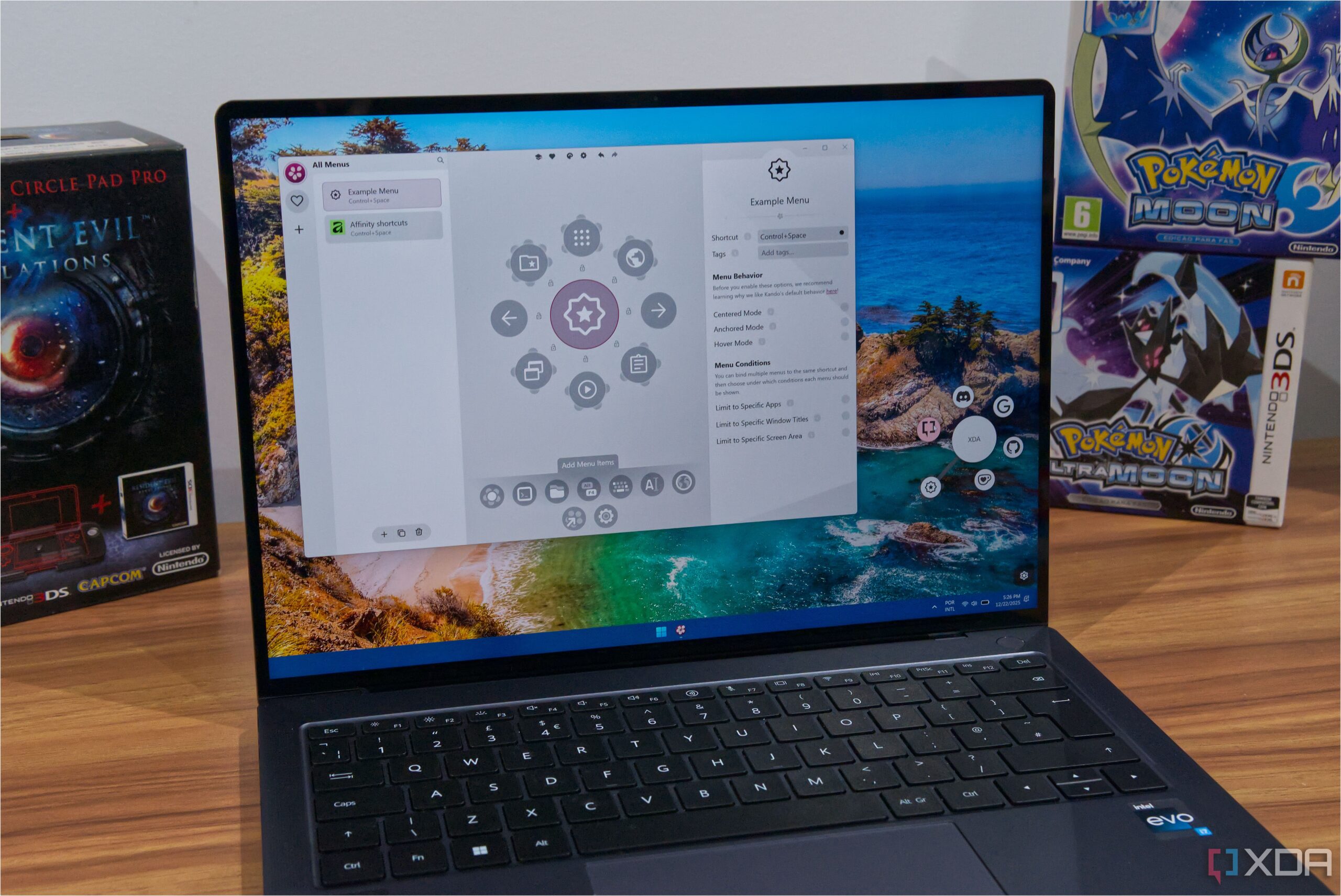
The introduction of Kando, a productivity tool not created by Microsoft, is significantly enhancing the way users interact with their Windows operating systems. While Microsoft has implemented features like Snap Layouts and virtual desktops, many users are discovering that third-party applications can offer even more efficient solutions for maximizing productivity.
What is Kando?
Kando is a customizable overlay tool that allows users to perform various actions on their computers using a standard mouse and keyboard. This innovative application resembles the Actions Ring feature found in the latest Logitech MX Master 4 mouse. However, Kando is not limited to a specific hardware model, making it accessible to a broader audience. It is compatible with Windows, Linux, and macOS, ensuring that users across different platforms can benefit.
The tool operates by allowing users to summon a menu with a designated hotkey, which can be further customized to a specific mouse button, streamlining the process of accessing various functions. Once activated, users can navigate through the menu to execute actions or expand submenus for additional options. Kando includes a default menu that features essential media controls, window management, and shortcuts to applications and folders, providing a robust starting point for users.
Customization and Efficiency
One of Kando’s standout features is its flexibility in creating and managing multiple custom menus. Users can set different activation shortcuts for these menus, enhancing efficiency according to specific contexts. For instance, an Affinity photo editing user can create a dedicated menu that only appears when the application is active, allowing for quicker access to frequently used commands without needing to memorize keyboard shortcuts.
The ability to personalize menus extends to naming actions and assigning icons for easier identification. Even for applications lacking native hotkey support, users can utilize macros to navigate menus quickly. Kando is designed to detect the active window, simplifying the selection process for any application.
Kando also offers two modes tailored for power users: Marking mode and Turbo mode. In Marking mode, users can drag the mouse towards their desired option, automatically expanding submenus as needed. Turbo mode allows users to hold down a modifier key while moving the mouse to select actions, eliminating the need for additional clicks and speeding up the workflow.
The thoughtful design and engaging animations of Kando make the application enjoyable to use while maintaining the necessary speed for productivity. Users may initially explore the menu options, but as familiarity grows, they will efficiently navigate and execute commands with minimal effort.
In a landscape filled with productivity tools, Kando stands out for its versatility and user-friendly approach. Its capacity for customization and integration into various applications makes it a valuable asset for anyone looking to enhance their efficiency on Windows or other operating systems. As more users discover Kando, it is likely to gain traction as a go-to solution for optimizing computer workflows.













Revolutionary Photonic Ski-Jump Could Miniaturize LiDAR Systems

Couples Detox from Plastics in New Netflix Doc: Can It Boost Fertility?

Aventon Launches Affordable Full-Suspension Electric Mountain Bike

Discover Eight Must-Try Restaurants This Spring Season

UC Irvine Team Unveils Innovative Ion Pump for Water Treatment

One-Third of Americans Trim Daily Expenses for Healthcare Needs

Apple Secures First Oscar in Three Years with F1: The Movie

Fourth Graders Celebrate St. Patrick’s Day with Creative Weather Drawings

Kim Kardashian Dazzles at Vanity Fair Oscars Party 2026

Nostradamus’ 2026 Predictions: Star Death and Dark Events Loom

Breakthroughs and Challenges Await Science in 2026

Electric Moto Influencer Surronster Arrested in Tijuana

OpenAI to Implement Age Verification for ChatGPT by December 2025

Discover the Top 10 Calorie Counting Apps of 2025

Bella Hadid Shares Health Update After Treatment for Lyme Disease

Analysts Project Stronger Growth for Apple’s iPhone 17 Lineup

Japanese Study Finds Rose Oil Can Increase Brain Gray Matter

Top 10 Penny Stocks to Watch in 2026 for Strong Returns
-
 Science4 months ago
Nostradamus’ 2026 Predictions: Star Death and Dark Events Loom
-
 Science4 months ago
Breakthroughs and Challenges Await Science in 2026
-
 Technology7 months ago
Electric Moto Influencer Surronster Arrested in Tijuana
-
 Technology4 months ago
OpenAI to Implement Age Verification for ChatGPT by December 2025
-
 Technology9 months ago
Discover the Top 10 Calorie Counting Apps of 2025
-
 Health7 months ago
Bella Hadid Shares Health Update After Treatment for Lyme Disease
-
 Health7 months ago
Analysts Project Stronger Growth for Apple’s iPhone 17 Lineup
-
 Health8 months ago
Japanese Study Finds Rose Oil Can Increase Brain Gray Matter
-
 Technology4 months ago
Top 10 Penny Stocks to Watch in 2026 for Strong Returns
-

 Science6 months ago
Starship V3 Set for 2026 Launch After Successful Final Test of Version 2
-

 Technology2 months ago
Nvidia GTC 2026: Major Announcements Expected for AI and Hardware
-

 Education7 months ago
Harvard Secures Court Victory Over Federal Funding Cuts