
Technology
Optimize Your CPU Performance Before Considering an Upgrade

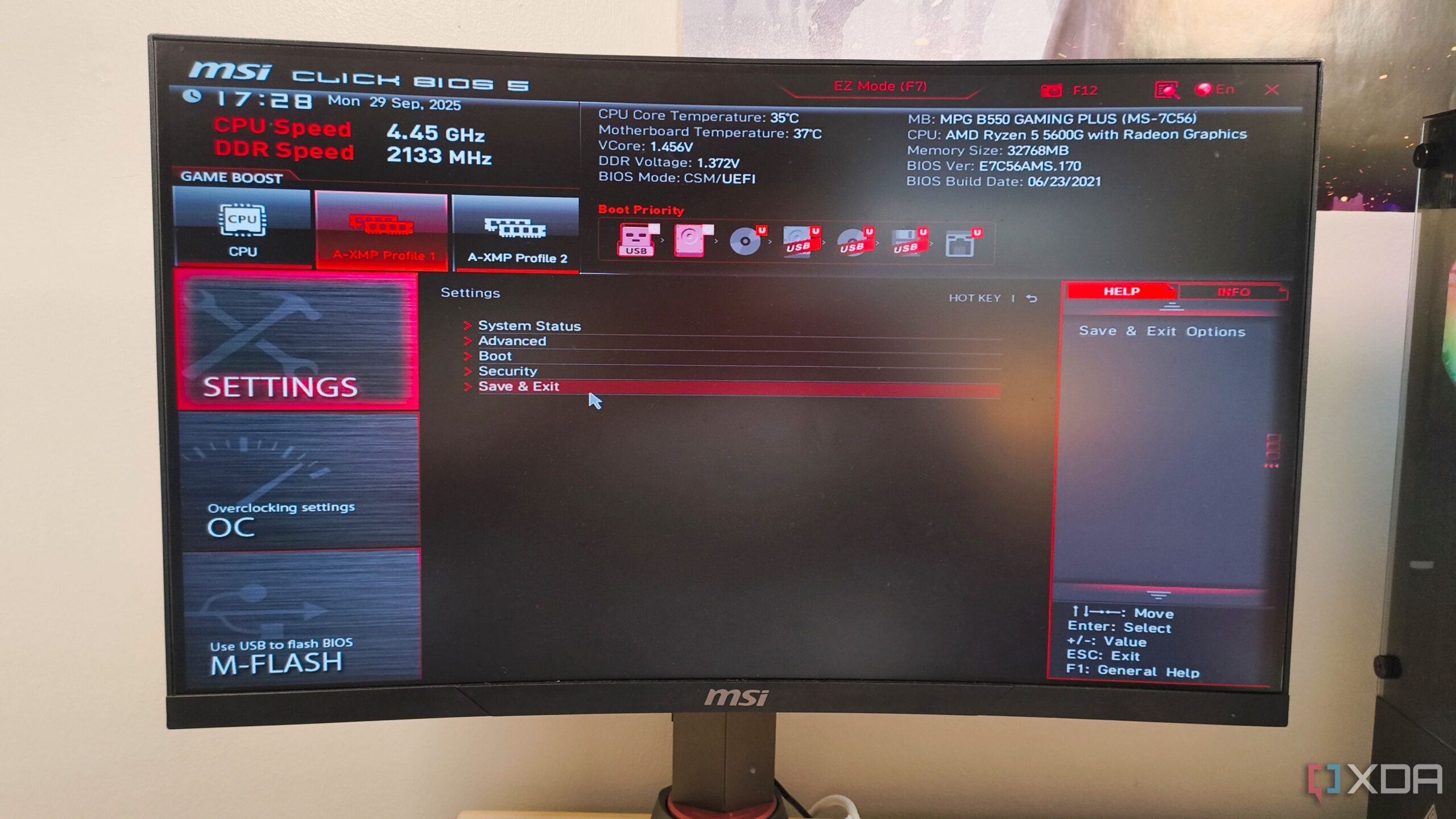
Gamers frequently rush to upgrade their CPUs when they encounter issues like poor frame rates, low GPU utilization, and inconsistent performance. The inclination to replace a processor often stems from a few disappointing benchmarks, leading many to overlook potential optimizations within their current setups. Before investing in a new CPU, it may be beneficial to examine the existing configuration and make adjustments within the BIOS settings.
Modern CPUs are heavily reliant on factors such as boost behavior, RAM performance, and power limits to achieve optimal performance. If a motherboard is set to conservative default settings, the CPU may not operate at its full potential. A few simple tweaks in the BIOS can often enhance performance significantly, potentially delaying the need for an upgrade.
Maximizing RAM Performance
One of the most common reasons for underwhelming CPU performance is improperly configured memory settings. Users may enable XMP (Extreme Memory Profile) or EXPO (Extended Profiles for Overclocking) but fail to verify if these settings continue to function correctly. The BIOS can reset memory configurations following updates or minor instabilities, often reverting RAM speeds back to standard JEDEC levels without any notification.
For instance, if DDR5 RAM is running at 4800MT/s instead of its potential of 6000MT/s or 6400MT/s, users may experience noticeable performance deficits, especially in CPU-intensive scenarios. While the system may appear sufficient for everyday tasks, gaming could reveal significant issues such as worse frame rates and uneven performance. The CPU experiences higher latency and reduced bandwidth at JEDEC speeds, leading to delays that impact gameplay.
Utilizing Precision Boost Overdrive
For those utilizing an AMD CPU, enabling Precision Boost Overdrive (PBO) in the BIOS can provide additional performance benefits, assuming the cooling system is adequate. Many Ryzen CPUs operate near their thermal and power limits by default. Activating PBO allows the processor to boost higher under suitable conditions, resulting in improved frame pacing and enhanced performance in CPU-bound games.
It is crucial to monitor temperatures and system stability when using PBO. If the CPU is already operating at high temperatures, significant performance improvements may not be realized. Pairing PBO with Curve Optimizer by applying a small undervolt can help reduce heat and enhance the CPU’s capability to maintain higher boost clocks. Starting with a minor curve adjustment and testing stability across various games is advisable.
Adjusting CPU Power Limits
CPU power limits also play a critical role in performance. Motherboard manufacturers often set conservative power limits to protect voltage regulation modules (VRMs) and ensure stability. This can hinder a CPU’s ability to sustain high performance over time.
For Intel CPUs, users should examine PL1 and PL2 limits within the BIOS, as these settings determine how long the processor can maintain elevated power levels before reducing clock speeds. Similarly, Ryzen chips utilize PPT, TDC, and EDC limits. Adjusting these limits can allow for improved performance but requires careful thermal management, as increased power levels produce additional heat.
While the latest CPUs are enticing, it is essential to resist the urge to upgrade immediately when experiencing performance issues. By making informed adjustments in the BIOS, users can often extract additional performance from their existing systems. This approach can be particularly beneficial, as demonstrated by the experience of many users who have successfully prolonged the life of their processors, such as the AMD 5800X3D, despite the emergence of newer models.
Before attributing performance issues to the CPU itself, it is vital to ensure that external factors are not limiting its capabilities.












Revolutionary Photonic Ski-Jump Could Miniaturize LiDAR Systems

Couples Detox from Plastics in New Netflix Doc: Can It Boost Fertility?

Aventon Launches Affordable Full-Suspension Electric Mountain Bike

Discover Eight Must-Try Restaurants This Spring Season

UC Irvine Team Unveils Innovative Ion Pump for Water Treatment

One-Third of Americans Trim Daily Expenses for Healthcare Needs

Apple Secures First Oscar in Three Years with F1: The Movie

Fourth Graders Celebrate St. Patrick’s Day with Creative Weather Drawings

Kim Kardashian Dazzles at Vanity Fair Oscars Party 2026

Nostradamus’ 2026 Predictions: Star Death and Dark Events Loom

Breakthroughs and Challenges Await Science in 2026

Electric Moto Influencer Surronster Arrested in Tijuana

OpenAI to Implement Age Verification for ChatGPT by December 2025

Discover the Top 10 Calorie Counting Apps of 2025

Bella Hadid Shares Health Update After Treatment for Lyme Disease

Analysts Project Stronger Growth for Apple’s iPhone 17 Lineup

Japanese Study Finds Rose Oil Can Increase Brain Gray Matter

Top 10 Penny Stocks to Watch in 2026 for Strong Returns
-
 Science3 months ago
Nostradamus’ 2026 Predictions: Star Death and Dark Events Loom
-
 Science4 months ago
Breakthroughs and Challenges Await Science in 2026
-
 Technology7 months ago
Electric Moto Influencer Surronster Arrested in Tijuana
-
 Technology4 months ago
OpenAI to Implement Age Verification for ChatGPT by December 2025
-
 Technology9 months ago
Discover the Top 10 Calorie Counting Apps of 2025
-
 Health7 months ago
Bella Hadid Shares Health Update After Treatment for Lyme Disease
-
 Health7 months ago
Analysts Project Stronger Growth for Apple’s iPhone 17 Lineup
-
 Health7 months ago
Japanese Study Finds Rose Oil Can Increase Brain Gray Matter
-
 Technology4 months ago
Top 10 Penny Stocks to Watch in 2026 for Strong Returns
-

 Science6 months ago
Starship V3 Set for 2026 Launch After Successful Final Test of Version 2
-

 Technology1 month ago
Nvidia GTC 2026: Major Announcements Expected for AI and Hardware
-

 Education7 months ago
Harvard Secures Court Victory Over Federal Funding Cuts