
Top Stories
Enhance Your Network Performance with Local DNS Management

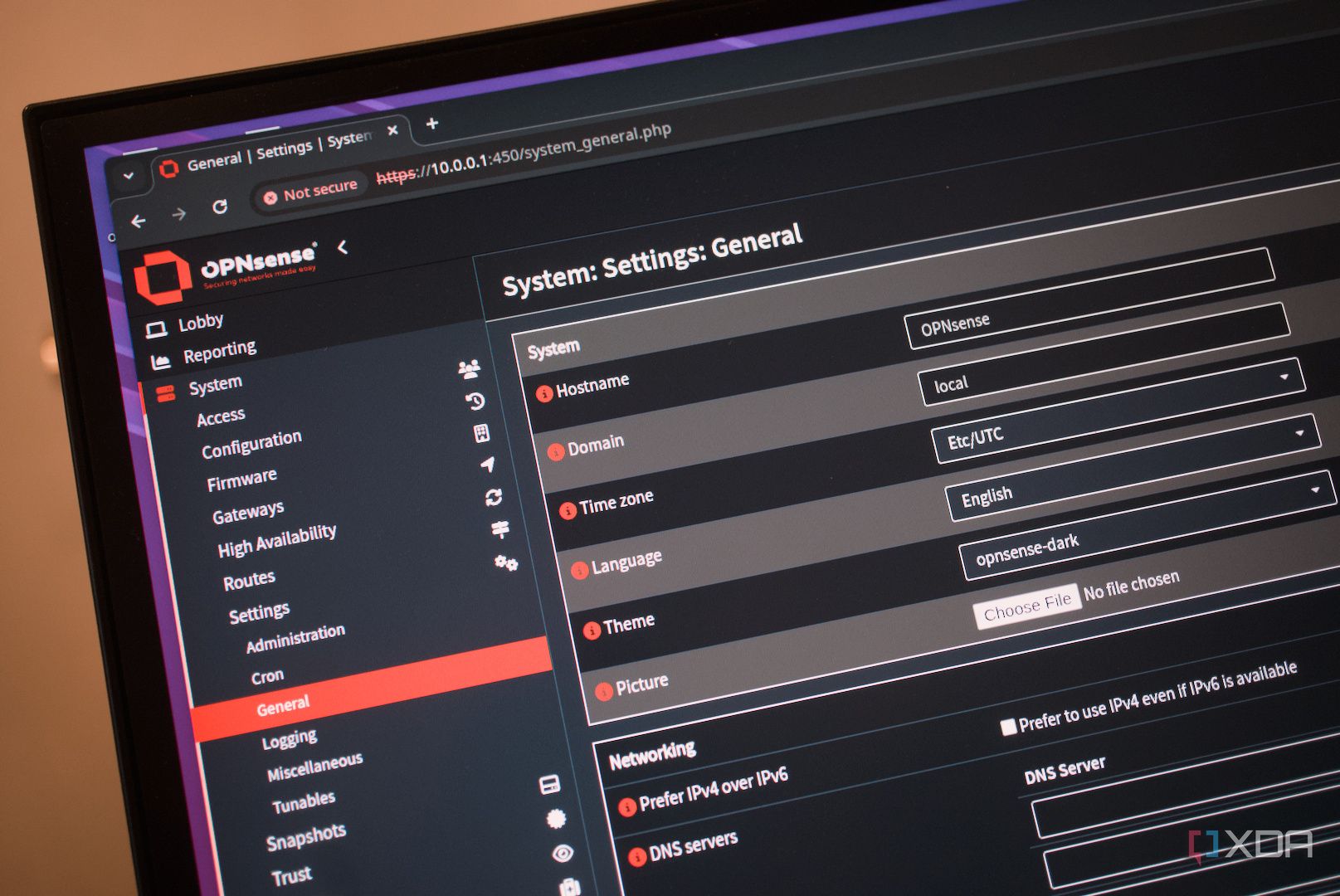
Upgrading the Domain Name System (DNS) for a local area network (LAN) can significantly enhance network performance and reliability. By managing DNS locally, users can streamline internet connectivity without the need for additional hardware or complex setups. This adjustment, particularly with tools like OPNsense and Unbound, has proven to be a transformative step for many network administrators.
Understanding DNS and Its Importance
The Domain Name System acts as a comprehensive directory for the internet, translating user-friendly domain names into machine-readable IP addresses. Typically, this service is managed by third parties, such as internet service providers (ISPs) or major companies like Cloudflare and Google. While many users have upgraded their LAN with faster switches and advanced access points, the DNS component often remains neglected.
Implementing a local DNS can lead to notable improvements in both speed and reliability. By utilizing a local resolver like Unbound within OPNsense, devices on the network can access cached responses without needing to query external servers. This change reduces latency and enhances performance, particularly for network-attached storage (NAS) devices and self-hosted services.
How to Configure Local DNS with OPNsense
Setting up a local DNS server is more straightforward than many might assume. For those running OPNsense, integrating Unbound is a simple process that involves enabling the service and configuring the necessary settings.
To begin, navigate to Services > Unbound within OPNsense. From there, select General and check the box to “Enable Unbound.” Users should then select the appropriate network interfaces, such as LAN or VLANs, and enable Domain Name System Security Extensions (DNSSEC) for added security. Next, go to System > Settings > General and remove any existing DNS server entries.
Once completed, OPNsense will advertise its own IP address as the DNS server for the network. This setup not only improves speed but also enhances privacy by minimizing the external logging of user activities. Local overrides can further customize the experience, allowing for easy management of services like Home Assistant and Jellyfin.
Managing DNS locally empowers users to block unwanted domains and reduce tracking, making the network smarter and more secure. Moreover, implementing redundancy is advisable. Configuring a single-board computer (SBC) as a dedicated DNS and filtering gateway can provide a reliable fallback option.
The shift to local DNS management is a worthwhile endeavor for any network administrator seeking to optimize their LAN. With improved loading times and enhanced privacy, users can enjoy a faster, more reliable internet experience.











Revolutionary Photonic Ski-Jump Could Miniaturize LiDAR Systems

Couples Detox from Plastics in New Netflix Doc: Can It Boost Fertility?

Aventon Launches Affordable Full-Suspension Electric Mountain Bike

Discover Eight Must-Try Restaurants This Spring Season

UC Irvine Team Unveils Innovative Ion Pump for Water Treatment

One-Third of Americans Trim Daily Expenses for Healthcare Needs

Apple Secures First Oscar in Three Years with F1: The Movie

Fourth Graders Celebrate St. Patrick’s Day with Creative Weather Drawings

Kim Kardashian Dazzles at Vanity Fair Oscars Party 2026

Nostradamus’ 2026 Predictions: Star Death and Dark Events Loom

Breakthroughs and Challenges Await Science in 2026

Electric Moto Influencer Surronster Arrested in Tijuana

OpenAI to Implement Age Verification for ChatGPT by December 2025

Discover the Top 10 Calorie Counting Apps of 2025

Bella Hadid Shares Health Update After Treatment for Lyme Disease

Analysts Project Stronger Growth for Apple’s iPhone 17 Lineup

Japanese Study Finds Rose Oil Can Increase Brain Gray Matter

Top 10 Penny Stocks to Watch in 2026 for Strong Returns
-
 Science3 months ago
Nostradamus’ 2026 Predictions: Star Death and Dark Events Loom
-
 Science4 months ago
Breakthroughs and Challenges Await Science in 2026
-
 Technology7 months ago
Electric Moto Influencer Surronster Arrested in Tijuana
-
 Technology4 months ago
OpenAI to Implement Age Verification for ChatGPT by December 2025
-
 Technology9 months ago
Discover the Top 10 Calorie Counting Apps of 2025
-
 Health7 months ago
Bella Hadid Shares Health Update After Treatment for Lyme Disease
-
 Health7 months ago
Analysts Project Stronger Growth for Apple’s iPhone 17 Lineup
-
 Health7 months ago
Japanese Study Finds Rose Oil Can Increase Brain Gray Matter
-
 Technology4 months ago
Top 10 Penny Stocks to Watch in 2026 for Strong Returns
-

 Science6 months ago
Starship V3 Set for 2026 Launch After Successful Final Test of Version 2
-

 Technology1 month ago
Nvidia GTC 2026: Major Announcements Expected for AI and Hardware
-

 Education7 months ago
Harvard Secures Court Victory Over Federal Funding Cuts