
Technology
Transform Your NAS: 6 Effective Tips to Reduce Noise

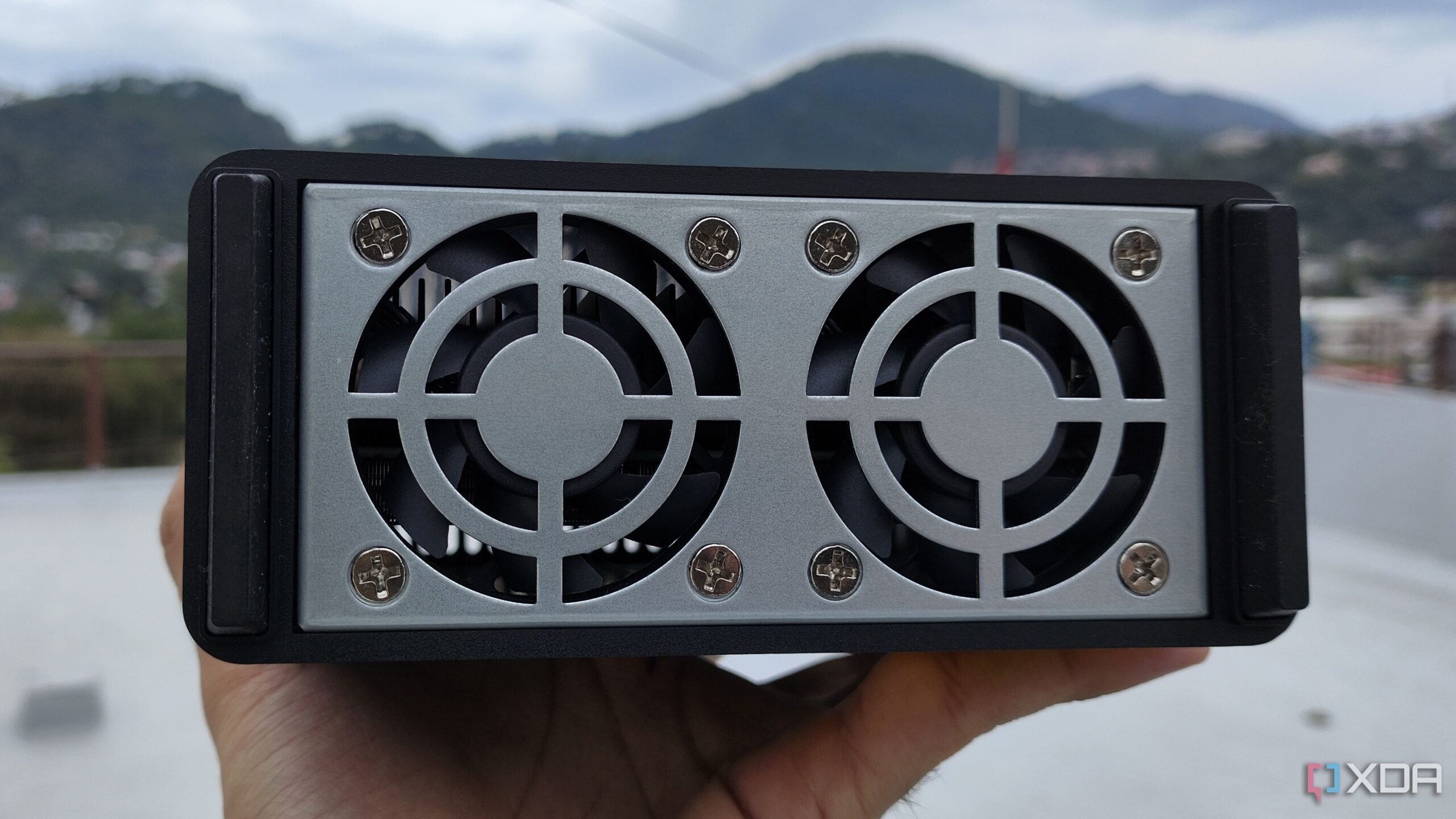
The experience of setting up a Network Attached Storage (NAS) device can often lead to unexpected challenges, particularly regarding noise levels. Many users, when first integrating a NAS into their homes, underestimate the hum and whir that accompanies these devices. For one individual, the noise proved disruptive enough to prompt a series of changes aimed at creating a quieter environment. Here are six effective strategies to reduce the noise emitted by a NAS, enhancing both functionality and comfort.
1. Replace Stock Fans with Quieter Alternatives
One of the main sources of noise in a NAS is its stock fans, which are designed to maintain airflow. However, these fans can often be inefficient, causing them to work harder and generate more noise. By replacing the original fans with quieter models, users can significantly reduce sound levels. Brands such as Noctua offer fans that circulate air effectively without excessive noise. Users should ensure that any replacement fans fit the size and power requirements of their specific NAS models. After making this adjustment, one user reported a noticeable decrease in both drive temperature and noise levels.
2. Adjust Fan Speeds
Many NAS devices come equipped with auto-adjusting fan speeds. While this feature can help manage temperature, it may also lead to fans operating at full speed unnecessarily. Users should check their NAS settings to confirm that the auto-adjust feature is enabled, allowing fans to slow down during cooler operations. If the NAS is situated in a well-ventilated area, switching the fans to a quiet mode can further minimize noise, making for a more pleasant atmosphere.
3. Switch from HDDs to SSDs
Another effective method for reducing noise is transitioning from traditional hard disk drives (HDDs) to solid-state drives (SSDs). SSDs operate without moving parts, which means they generate significantly less noise compared to HDDs. Though SSDs can be more expensive, users can adopt a hybrid approach, storing frequently accessed data on SSDs while retaining HDDs for other storage needs. This not only improves transfer speeds but also contributes to a quieter NAS environment.
4. Relocate the NAS
Relocating the NAS to a different area can have a substantial impact on noise levels. Moving the device from a cramped space to a more open, well-ventilated room can enhance both performance and sound levels. One user found that shifting their NAS to a larger living room not only reduced noise but also improved cooling efficiency. Before investing in additional sound-reducing solutions, users should consider this simple yet effective step.
5. Maintain a Dust-Free Environment
Regular maintenance is crucial for keeping a NAS quiet. Dust accumulation can obstruct airflow, causing fans to work harder and produce more noise. Users are advised to inspect their NAS units periodically, particularly around drive bays and vents, to remove any dust buildup. Utilizing compressed air or manual cleaning can help maintain airflow and prevent overheating, which can lead to increased noise levels.
6. Monitor Drive Health
Finally, keeping an eye on the health of the drives within the NAS is essential. Failing drives can produce irregular sounds that may indicate issues requiring immediate attention. Regularly running health checks can help users identify potential problems early, allowing for timely replacements and minimizing noise. Healthy drives typically emit a consistent whirring sound, whereas failing drives may produce knocking or grinding noises.
By implementing these six strategies, NAS users can create a more serene home environment while maintaining optimal device performance. For those struggling with excessive noise, these practical adjustments offer a pathway to a quieter and more efficient NAS experience.







Revolutionary Photonic Ski-Jump Could Miniaturize LiDAR Systems

Couples Detox from Plastics in New Netflix Doc: Can It Boost Fertility?

Aventon Launches Affordable Full-Suspension Electric Mountain Bike

Discover Eight Must-Try Restaurants This Spring Season

UC Irvine Team Unveils Innovative Ion Pump for Water Treatment

One-Third of Americans Trim Daily Expenses for Healthcare Needs

Apple Secures First Oscar in Three Years with F1: The Movie

Fourth Graders Celebrate St. Patrick’s Day with Creative Weather Drawings

Kim Kardashian Dazzles at Vanity Fair Oscars Party 2026

Nostradamus’ 2026 Predictions: Star Death and Dark Events Loom

Breakthroughs and Challenges Await Science in 2026

Electric Moto Influencer Surronster Arrested in Tijuana

OpenAI to Implement Age Verification for ChatGPT by December 2025

Discover the Top 10 Calorie Counting Apps of 2025

Recovering a Suspended TikTok Account: A Step-by-Step Guide

Bella Hadid Shares Health Update After Treatment for Lyme Disease

Backpack Drives Equip Students with Supplies for New School Year

Analysts Project Stronger Growth for Apple’s iPhone 17 Lineup
-
 Science8 months ago
Nostradamus’ 2026 Predictions: Star Death and Dark Events Loom
-
 Science8 months ago
Breakthroughs and Challenges Await Science in 2026
-
 Technology11 months ago
Electric Moto Influencer Surronster Arrested in Tijuana
-
 Technology9 months ago
OpenAI to Implement Age Verification for ChatGPT by December 2025
-
 Technology1 year ago
Discover the Top 10 Calorie Counting Apps of 2025
-
 Technology1 year ago
Recovering a Suspended TikTok Account: A Step-by-Step Guide
-
 Health11 months ago
Bella Hadid Shares Health Update After Treatment for Lyme Disease
-
 Education1 year ago
Backpack Drives Equip Students with Supplies for New School Year
-
 Health12 months ago
Analysts Project Stronger Growth for Apple’s iPhone 17 Lineup
-

 Health12 months ago
Japanese Study Finds Rose Oil Can Increase Brain Gray Matter
-

 Technology8 months ago
Top 10 Penny Stocks to Watch in 2026 for Strong Returns
-

 Science10 months ago
Starship V3 Set for 2026 Launch After Successful Final Test of Version 2