
Technology
Samsung Enhances Battery Life with AI-Driven Sleeping Apps

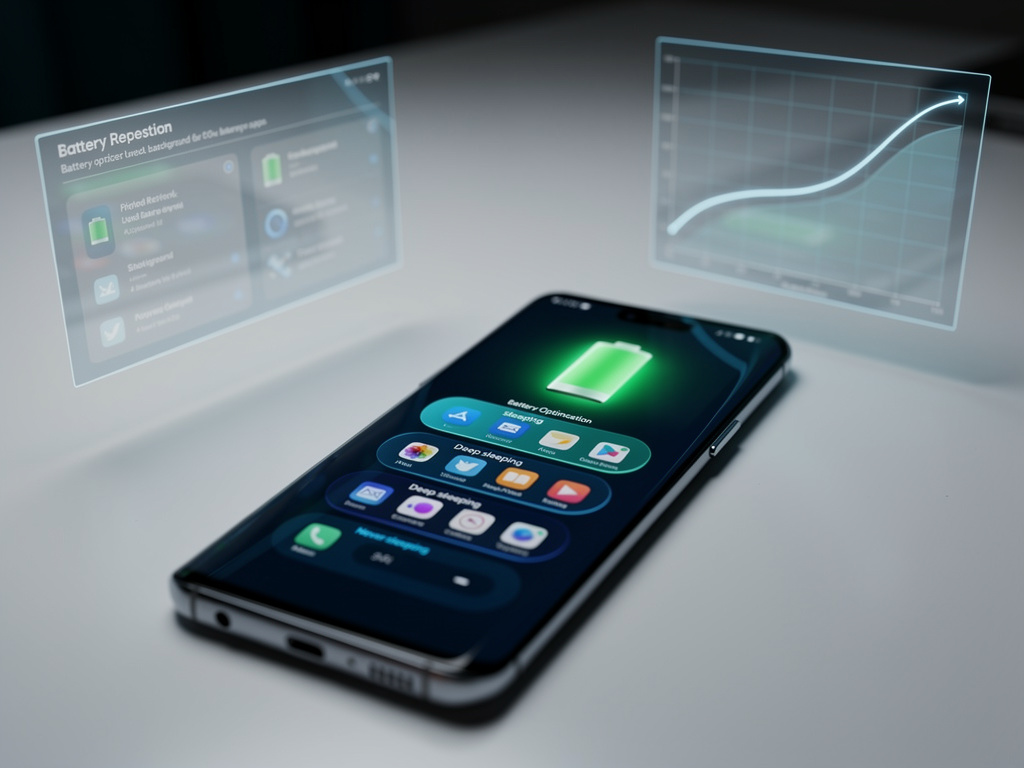
Samsung has introduced a significant feature in its Galaxy devices: sleeping apps, designed to optimize battery life by limiting background activity from rarely used applications. This function allows users to enhance their device’s runtime without sacrificing performance, addressing a common concern among mobile users. According to a hands-on account from MakeUseOf, enabling sleeping apps can potentially double standby time, transforming a device that typically struggles to last a day into one that endures much longer.
The mechanics of sleeping apps are both straightforward and effective. On Galaxy devices, users can categorize apps into three modes: sleeping, deep sleeping, and never sleeping. Sleeping apps continue to run in the background but with restrictions, while deep sleeping apps are paused until activated. This setup prevents unnecessary power drain caused by notifications, updates, or data syncing from apps that users might not frequently access. Samsung’s official optimization page outlines how managing these settings can significantly enhance battery performance without interfering with essential functions.
Real-world user experiences validate the advantages of this feature. One Galaxy user reported that enabling sleeping apps for non-essential programs resulted in their device’s standby time doubling, allowing it to last through a full workday and beyond. This feedback aligns with broader guidance from technicians who highlight that modern smartphones, equipped with high-resolution displays and advanced processors, often suffer from background processes that silently consume energy.
Understanding the Evolution of Sleeping Apps
Samsung’s implementation of sleeping apps has evolved with each version of its One UI software. The latest updates, including previews of One UI 8, feature an intelligent system that automatically identifies apps not used for several days and shifts them into a low-power state. A report from Sammy Fans indicates that this update addresses “battery hungry apps” by monitoring user habits and applying restrictions more proactively. Consequently, forgotten applications no longer operate excessively in the background, continuously pinging servers or refreshing data.
To access these settings, users can navigate to Settings > Battery and device care > Battery > Background usage limits. Here, they can manually add apps to the sleeping list or allow the AI-driven system to manage it. For users concerned about over-restriction, the “never sleeping apps” option keeps critical services like messaging or navigation active. Industry observers note that finding this balance is crucial, as overly aggressive power management may lead to missed notifications or delayed updates, an issue prevalent in earlier Android versions.
While some critics express concerns about Samsung’s aggressive battery optimization strategies, discussions in forums such as Don’t Kill My App highlight that the latest firmware updates refine these features. Users now have more control, with toggles to exempt specific apps and prevent automatic re-additions after updates. This improvement positions Samsung favorably against competitors in user-focused power management.
Maximizing Battery Life with Integrated Strategies
Beyond sleeping apps, users can amplify their battery performance by integrating various tweaks. A comprehensive guide from ZDNET suggests adjusting screen brightness and adaptive refresh rates, which can complement background restrictions. Users who combine sleeping apps with lower display resolutions or dark mode often report significant endurance, sometimes extending a single charge to over 48 hours with moderate use.
Social media platforms like X are buzzing with discussions among tech enthusiasts sharing strategies to disable unnecessary background refreshes, mimicking sleeping app effects. A common recommendation is to monitor battery usage statistics to identify energy-draining applications and apply sleeping modes accordingly. This grassroots knowledge echoes professional analyses, reinforcing that informed users can achieve remarkable battery life without relying on third-party applications.
Samsung’s ecosystem also enhances these capabilities. By pairing a Galaxy phone with a Galaxy Watch, as noted by Digital Trends, users can engage in holistic health tracking that includes sleep monitoring. This indirectly promotes efficient device habits, ensuring that the latest iterations of the Samsung Health app facilitate wearable syncing without excessively draining the phone’s battery.
The rollout of One UI 8 represents a significant advancement in Samsung’s battery management strategy. Insiders have described this update as a “reset year” for Samsung’s software. It introduces improved algorithms that predict app usage more accurately, reducing the necessity for manual adjustments in sleeping settings. Early adopters, particularly those with devices like the Galaxy S25 series, have reported that the system now inherently prevents battery drain from numerous forgotten apps.
Comparative studies indicate that Samsung’s approach often outperforms stock Android in certain metrics. While Google’s adaptive battery learns gradually, Samsung’s methods are more immediate, putting apps to sleep after shorter periods of inactivity. However, this approach has sparked debates among developers, some of whom argue that it disrupts app functionality. In response, Samsung provides detailed controls, empowering power users to tailor behaviors to their needs.
Recent Galaxy models, such as those in the S series, utilize advanced chipsets that work seamlessly with software optimizations. For instance, the Exynos or Snapdragon processors in these devices support low-power modes that align perfectly with sleeping apps, minimizing thermal throttling and enhancing overall lifespan. Tech reviews consistently commend this integration, noting that users upgrading from older devices experience the most significant benefits.
Practical techniques for maximizing the effectiveness of sleeping apps involve a systematic approach. Users should begin by reviewing their app drawer to identify infrequently used applications, such as social media backups or niche utilities. By adding them to the sleeping list via battery settings, users can monitor any disruptions. If an app requires periodic wake-ups, it can be shifted to standard sleeping mode rather than deep sleep, allowing it to carry out essential tasks while conserving energy.
Advanced users may also explore automation through Samsung’s Modes and Routines app, scheduling sleeping modes during off-hours. This is particularly beneficial for professionals who require peak performance during working hours but wish to conserve battery overnight. Samsung Gulf’s support pages offer insights into these processes, emphasizing the importance of periodic reviews as usage patterns evolve.
Despite the advantages of sleeping apps, several potential drawbacks must be considered. Overly restrictive settings can lead to delayed emails or missed fitness tracking updates, causing frustration for users reliant on real-time data. To mitigate this, Samsung recommends beginning with a conservative list of sleeping apps and expanding based on battery analytics available in the Device Care menu.
Industry experts, including those at PCMag, advocate for complementing sleeping apps with additional habits, such as charging devices to 80% to promote long-term battery health. This holistic perspective addresses degradation issues that affect all lithium-ion cells over time.
As Samsung continues to release software updates, staying current is crucial. The “Z” designation in recent builds indicates significant overhauls that refine sleeping algorithms, making them smarter and less intrusive. Users are encouraged to enable automatic updates to quickly benefit from these enhancements.
The focus on sleeping apps reflects a broader trend toward sustainable mobile computing. With increasing environmental concerns, efficient battery usage reduces the need for frequent charging, indirectly lowering overall energy consumption. Samsung’s innovations in this area may prompt competitors to adopt similar features across the Android ecosystem and beyond.
Looking ahead, potential integrations with artificial intelligence could further automate sleeping decisions, predicting user needs based on calendar events or location data. Previews suggest that One UI 8 may include such predictive elements, potentially transforming how devices autonomously manage power.
For industry insiders, this evolution highlights the importance of educating users. As devices become more complex, features like sleeping apps empower consumers but only if they are accessible and understood. Samsung’s ongoing refinements solidify its position as a leader in this domain, blending hardware capability with software intelligence for lasting appeal.
Mastering sleeping apps ultimately requires a degree of experimentation. Users are encouraged to track their battery usage before and after making changes to quantify improvements. Many report enhancements of 20-30% in screen-on time. By disabling unnecessary permissions and monitoring app activity, the results can be transformative.
Community sentiments on platforms like X, where users share before-and-after screenshots, reflect widespread success. From casual users to professionals, the consensus is clear: this feature unlocks untapped potential within Samsung devices. As the mobile sector evolves, sleeping apps exemplify thoughtful design, offering a straightforward route to enhanced battery life without sacrificing the conveniences of modern smartphones. By leveraging these tools, users can extend their device’s runtime while contributing to a more efficient digital ecosystem.











Revolutionary Photonic Ski-Jump Could Miniaturize LiDAR Systems

Couples Detox from Plastics in New Netflix Doc: Can It Boost Fertility?

Aventon Launches Affordable Full-Suspension Electric Mountain Bike

Discover Eight Must-Try Restaurants This Spring Season

UC Irvine Team Unveils Innovative Ion Pump for Water Treatment

One-Third of Americans Trim Daily Expenses for Healthcare Needs

Apple Secures First Oscar in Three Years with F1: The Movie

Fourth Graders Celebrate St. Patrick’s Day with Creative Weather Drawings

Kim Kardashian Dazzles at Vanity Fair Oscars Party 2026

Nostradamus’ 2026 Predictions: Star Death and Dark Events Loom

Breakthroughs and Challenges Await Science in 2026

Electric Moto Influencer Surronster Arrested in Tijuana

OpenAI to Implement Age Verification for ChatGPT by December 2025

Discover the Top 10 Calorie Counting Apps of 2025

Recovering a Suspended TikTok Account: A Step-by-Step Guide

Bella Hadid Shares Health Update After Treatment for Lyme Disease

Backpack Drives Equip Students with Supplies for New School Year

Analysts Project Stronger Growth for Apple’s iPhone 17 Lineup
-
 Science8 months ago
Nostradamus’ 2026 Predictions: Star Death and Dark Events Loom
-
 Science8 months ago
Breakthroughs and Challenges Await Science in 2026
-
 Technology11 months ago
Electric Moto Influencer Surronster Arrested in Tijuana
-
 Technology9 months ago
OpenAI to Implement Age Verification for ChatGPT by December 2025
-
 Technology1 year ago
Discover the Top 10 Calorie Counting Apps of 2025
-
 Technology1 year ago
Recovering a Suspended TikTok Account: A Step-by-Step Guide
-
 Health11 months ago
Bella Hadid Shares Health Update After Treatment for Lyme Disease
-
 Education1 year ago
Backpack Drives Equip Students with Supplies for New School Year
-
 Health12 months ago
Analysts Project Stronger Growth for Apple’s iPhone 17 Lineup
-

 Health12 months ago
Japanese Study Finds Rose Oil Can Increase Brain Gray Matter
-

 Technology8 months ago
Top 10 Penny Stocks to Watch in 2026 for Strong Returns
-

 Science10 months ago
Starship V3 Set for 2026 Launch After Successful Final Test of Version 2