
Technology
Google Enhances AI Mode in Search with New Features for Students

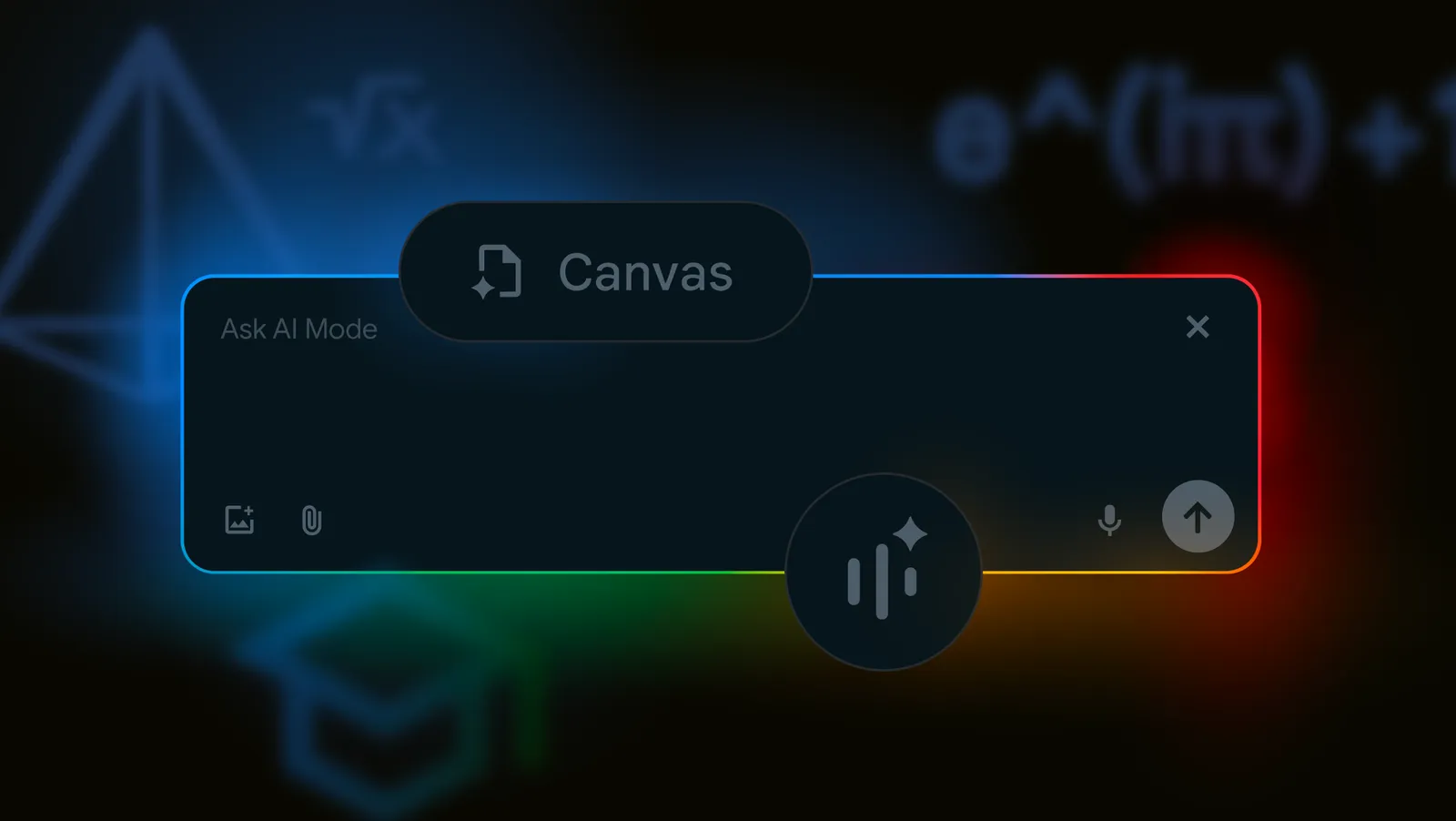
Google is introducing significant enhancements to the AI Mode in Search, designed specifically for the back-to-school season. These new features aim to assist students, parents, and educators by providing more interactive and effective methods for exploring complex questions and obtaining high-quality information. With capabilities expanding from PDF uploads to a new organizational tool called Canvas, AI Mode is evolving into a more versatile educational assistant.
New PDF Uploads and Image Analysis
AI Mode now supports PDF uploads on desktop, allowing users to engage with their academic materials in a more dynamic way. Previously, users could ask questions about images through the Google app on mobile devices; this functionality is now available on desktop browsers as well. Students can upload lecture slides or other relevant documents and inquire about specific aspects, enabling deeper comprehension of their course content.
Google has stated that AI Mode will analyze uploaded files and cross-reference them with information on the web to generate informative responses. In the coming months, support will extend to additional file types, including documents stored on Google Drive.
Organizational Tools with Canvas
To facilitate project management and study sessions, Google is launching a new feature called Canvas. This tool offers a dynamic side panel where users can formulate plans and track information across multiple sessions. For example, a student preparing for an exam can request AI Mode to create a tailored study plan. They can refine this plan further by inputting additional context, such as a course syllabus, making it a personalized learning experience.
Canvas is expected to roll out in the U.S. to users participating in the AI Mode Labs experiment in the coming weeks, providing a valuable resource for organization and productivity.
Google is also introducing a feature known as Search Live, which allows users to interact with their AI using video input. This capability, derived from Project Astra, enables real-time conversations where users can ask questions about what their camera captures. This feature is particularly useful for hands-on learning and is being rolled out on mobile devices in the U.S. for enrolled users.
Another enhancement includes improved functionality for Chrome users. Soon, when a user clicks on the Chrome address bar, a new option to “Ask Google about this page” will appear in the dropdown menu. This feature allows users to select specific elements of a webpage, such as diagrams, and receive an AI Overview directly in the side panel.
These updates collectively make AI Mode a more powerful tool for research and learning. Students, educators, and parents using AI Mode Labs should look for these features, which are currently being implemented.
As Google continues to innovate and enhance its AI capabilities, the aim remains clear: to support educational endeavors and foster a more interactive and engaging learning environment.











Revolutionary Photonic Ski-Jump Could Miniaturize LiDAR Systems

Couples Detox from Plastics in New Netflix Doc: Can It Boost Fertility?

Aventon Launches Affordable Full-Suspension Electric Mountain Bike

Discover Eight Must-Try Restaurants This Spring Season

UC Irvine Team Unveils Innovative Ion Pump for Water Treatment

One-Third of Americans Trim Daily Expenses for Healthcare Needs

Apple Secures First Oscar in Three Years with F1: The Movie

Fourth Graders Celebrate St. Patrick’s Day with Creative Weather Drawings

Kim Kardashian Dazzles at Vanity Fair Oscars Party 2026

Nostradamus’ 2026 Predictions: Star Death and Dark Events Loom

Breakthroughs and Challenges Await Science in 2026

Electric Moto Influencer Surronster Arrested in Tijuana

OpenAI to Implement Age Verification for ChatGPT by December 2025

Discover the Top 10 Calorie Counting Apps of 2025

Recovering a Suspended TikTok Account: A Step-by-Step Guide

Bella Hadid Shares Health Update After Treatment for Lyme Disease

Backpack Drives Equip Students with Supplies for New School Year

Analysts Project Stronger Growth for Apple’s iPhone 17 Lineup
-
 Science7 months ago
Nostradamus’ 2026 Predictions: Star Death and Dark Events Loom
-
 Science7 months ago
Breakthroughs and Challenges Await Science in 2026
-
 Technology11 months ago
Electric Moto Influencer Surronster Arrested in Tijuana
-
 Technology8 months ago
OpenAI to Implement Age Verification for ChatGPT by December 2025
-
 Technology1 year ago
Discover the Top 10 Calorie Counting Apps of 2025
-
 Technology1 year ago
Recovering a Suspended TikTok Account: A Step-by-Step Guide
-
 Health11 months ago
Bella Hadid Shares Health Update After Treatment for Lyme Disease
-
 Education1 year ago
Backpack Drives Equip Students with Supplies for New School Year
-
 Health11 months ago
Analysts Project Stronger Growth for Apple’s iPhone 17 Lineup
-

 Technology7 months ago
Top 10 Penny Stocks to Watch in 2026 for Strong Returns
-

 Health11 months ago
Japanese Study Finds Rose Oil Can Increase Brain Gray Matter
-

 Science10 months ago
Starship V3 Set for 2026 Launch After Successful Final Test of Version 2