
Technology
Five Essential Apple Security Features Every User Should Know

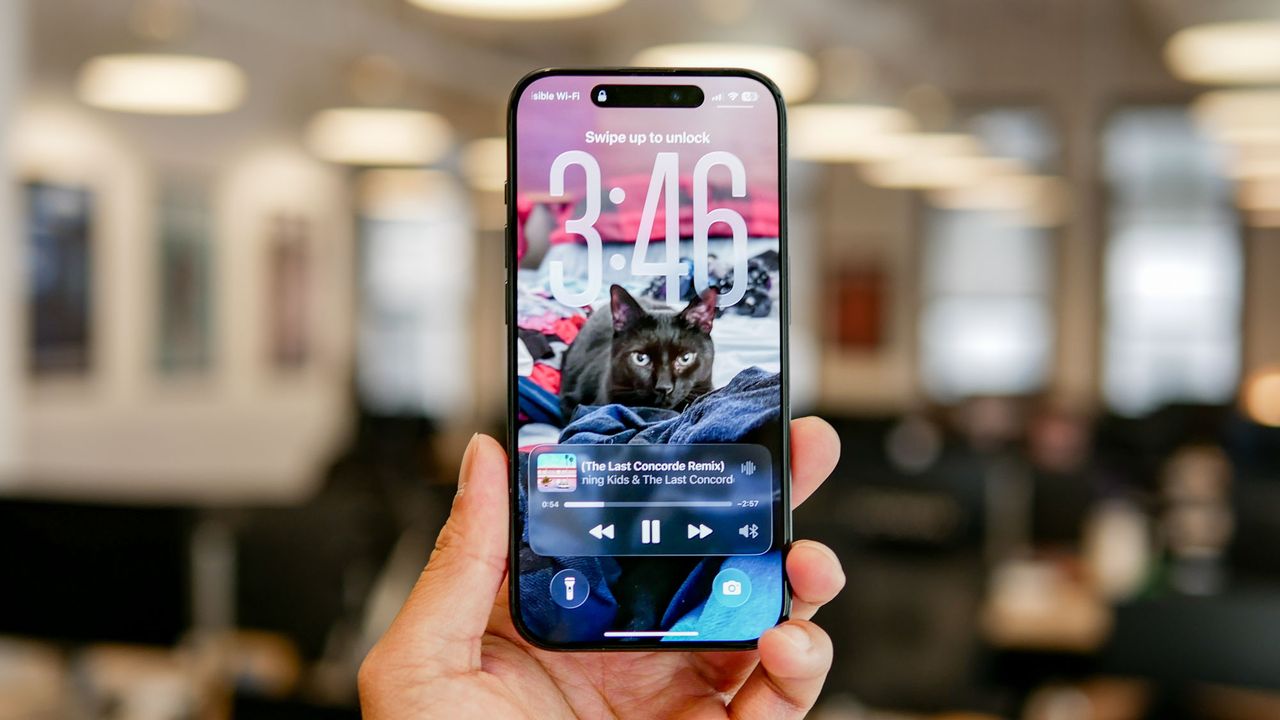
A recent experience with hackers has prompted a deeper examination of personal data security for many iPhone users. An incident involving a fraudulent call from a scammer posing as a representative from the payment app Klarna highlighted the risks associated with carrying sensitive information. The individual, distracted while tending to their child, inadvertently shared security codes that led to unauthorized transactions.
While the situation was ultimately resolved without financial loss, it left a lingering sense of vulnerability. This experience has led to an increased awareness of the security features available on iPhones, which can significantly enhance user protection. Here are five critical features that should be leveraged to safeguard personal data.
Scam Call Screening
One of the standout features introduced in the upcoming iOS 16 update is the scam call screening capability. This function allows the device to answer calls from unknown numbers, prompting the caller to provide their name and the purpose of their call. If the caller is a scammer, they are likely to hang up, while legitimate callers will have their responses transcribed and displayed on the screen. This additional layer of security gives users time to evaluate the legitimacy of the call before deciding to engage.
Stolen Device Protection
For those concerned about theft, enabling Stolen Device Protection can be invaluable. This feature, accessible through the Settings menu under Privacy & Security, adds an extra layer of security even if someone possesses the device’s passcode. When activated, users will face delays for certain security actions when their iPhone is away from familiar locations. For example, changing the Apple ID password or accessing stored passwords will require Face ID or Touch ID authentication. According to Apple, the likelihood of a random individual unlocking an iPhone using Face ID is less than 1 in 1,000,000, making it a robust security measure.
App Locking Features
Another proactive measure is the ability to lock individual apps. By password-protecting specific applications, users can keep sensitive information secure from prying eyes. To lock an app, users can long-press the app icon on their home screen, select the option to require Face ID or Touch ID, and authenticate. This added security ensures that even if the device is stolen, access to crucial information remains limited.
Preventing Online Tracking
Privacy is a growing concern in the digital age, and iPhones come equipped with features to combat unwanted tracking. The browser Safari utilizes Intelligent Tracking Prevention, which identifies and blocks known trackers from monitoring user behavior online. This feature is automatically activated, and users can review which trackers have been blocked by checking the Privacy Report in the menu. Additionally, Safari conceals the user’s IP address from trackers, further enhancing online anonymity.
The Passwords App
Post-hack, many users, including the individual in this account, realize the importance of secure password management. The Passwords app integrated into the iPhone is a powerful tool that generates, saves, and evaluates the strength of passwords. By utilizing this feature, users can avoid the common mistake of reusing passwords across multiple accounts, which greatly increases vulnerability to cyber threats. The app can sync strong passwords across Apple devices, providing seamless protection.
In today’s interconnected world, the security of personal data is paramount. Understanding and utilizing the built-in security features on iPhones is not just advantageous but essential for maintaining privacy and protecting against cyber threats. By being informed and proactive, users can significantly reduce their risk of falling victim to scams and unauthorized access.











Revolutionary Photonic Ski-Jump Could Miniaturize LiDAR Systems

Couples Detox from Plastics in New Netflix Doc: Can It Boost Fertility?

Aventon Launches Affordable Full-Suspension Electric Mountain Bike

Discover Eight Must-Try Restaurants This Spring Season

UC Irvine Team Unveils Innovative Ion Pump for Water Treatment

One-Third of Americans Trim Daily Expenses for Healthcare Needs

Apple Secures First Oscar in Three Years with F1: The Movie

Fourth Graders Celebrate St. Patrick’s Day with Creative Weather Drawings

Kim Kardashian Dazzles at Vanity Fair Oscars Party 2026

Nostradamus’ 2026 Predictions: Star Death and Dark Events Loom

Breakthroughs and Challenges Await Science in 2026

Electric Moto Influencer Surronster Arrested in Tijuana

OpenAI to Implement Age Verification for ChatGPT by December 2025

Discover the Top 10 Calorie Counting Apps of 2025

Recovering a Suspended TikTok Account: A Step-by-Step Guide

Bella Hadid Shares Health Update After Treatment for Lyme Disease

Backpack Drives Equip Students with Supplies for New School Year

Analysts Project Stronger Growth for Apple’s iPhone 17 Lineup
-
 Science8 months ago
Nostradamus’ 2026 Predictions: Star Death and Dark Events Loom
-
 Science8 months ago
Breakthroughs and Challenges Await Science in 2026
-
 Technology11 months ago
Electric Moto Influencer Surronster Arrested in Tijuana
-
 Technology9 months ago
OpenAI to Implement Age Verification for ChatGPT by December 2025
-
 Technology1 year ago
Discover the Top 10 Calorie Counting Apps of 2025
-
 Technology1 year ago
Recovering a Suspended TikTok Account: A Step-by-Step Guide
-
 Health11 months ago
Bella Hadid Shares Health Update After Treatment for Lyme Disease
-
 Education1 year ago
Backpack Drives Equip Students with Supplies for New School Year
-
 Health11 months ago
Analysts Project Stronger Growth for Apple’s iPhone 17 Lineup
-

 Health12 months ago
Japanese Study Finds Rose Oil Can Increase Brain Gray Matter
-

 Technology8 months ago
Top 10 Penny Stocks to Watch in 2026 for Strong Returns
-

 Science10 months ago
Starship V3 Set for 2026 Launch After Successful Final Test of Version 2