
Technology
Fing Desktop Enhances Home Network Management with Key Tools

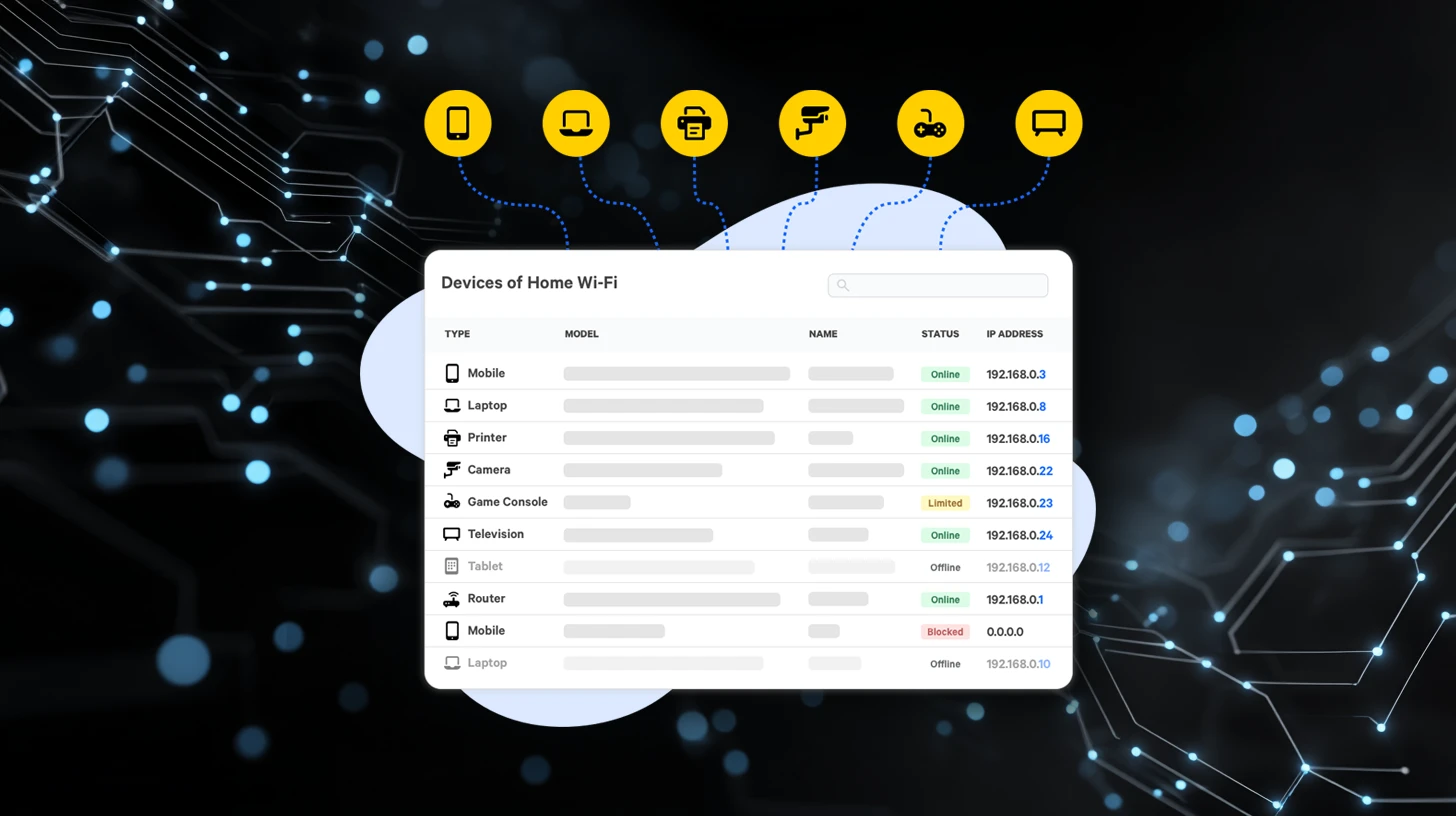
Fing has launched its desktop application, Fing Desktop, designed to enhance user visibility and control over home networks. This tool allows individuals to identify connected devices, test connectivity, and analyze network activity, contributing to improved performance and security.
Creating an account is necessary to access Fing Desktop. Users can opt for a free plan that grants access to essential features such as network scanning, device information viewing, speed tests, and various troubleshooting utilities. The user-friendly Fing dashboard summarizes critical network information, including the number of connected devices, the detected internet service provider, and indicators of overall network status.
Comprehensive Device Identification
Fing Desktop’s network scanning feature identifies all devices connected to a Wi-Fi or local network. Each device is listed with detailed information, including the device name, manufacturer, IP address, MAC address, and category. This comprehensive inventory allows users to verify which personal devices are connected, confirm new connections, or identify unknown devices. Additionally, the list aids in troubleshooting by displaying all hardware present in the network.
The free plan permits up to three manual scans daily, offering a snapshot of the network at the time of each scan. Users can also conduct speed tests to measure download and upload speeds as well as latency, which is crucial for evaluating internet performance. These results can highlight slow connections or instability, and tests can be performed from different locations to assess Wi-Fi coverage and signal quality. Fing Desktop retains past results, enabling users to track performance over time.
Advanced Diagnostic Tools
Fing Desktop includes a suite of diagnostic tools essential for network analysis. These tools feature ping tests, traceroute analysis, DNS lookups, and port scanning. Ping tests verify device responsiveness on the network, while traceroute illustrates the data packet path between the local network and external servers. DNS lookups confirm domain name resolution, and port scanning identifies open ports on connected devices.
These diagnostic tools are instrumental in diagnosing connectivity issues, routing delays, and configuration problems. Fing Desktop empowers users to gain visibility into their networks without the need for a paid plan, making it an accessible option for individuals seeking to understand their home network better. The application is available on both desktop and mobile interfaces, ensuring convenience for all users.
With Fing Desktop, individuals can effectively monitor connected devices and troubleshoot common connectivity issues, enhancing their overall network management experience.











Revolutionary Photonic Ski-Jump Could Miniaturize LiDAR Systems

Couples Detox from Plastics in New Netflix Doc: Can It Boost Fertility?

Aventon Launches Affordable Full-Suspension Electric Mountain Bike

Discover Eight Must-Try Restaurants This Spring Season

UC Irvine Team Unveils Innovative Ion Pump for Water Treatment

One-Third of Americans Trim Daily Expenses for Healthcare Needs

Apple Secures First Oscar in Three Years with F1: The Movie

Fourth Graders Celebrate St. Patrick’s Day with Creative Weather Drawings

Kim Kardashian Dazzles at Vanity Fair Oscars Party 2026

Nostradamus’ 2026 Predictions: Star Death and Dark Events Loom

Breakthroughs and Challenges Await Science in 2026

Electric Moto Influencer Surronster Arrested in Tijuana

OpenAI to Implement Age Verification for ChatGPT by December 2025

Discover the Top 10 Calorie Counting Apps of 2025

Bella Hadid Shares Health Update After Treatment for Lyme Disease

Analysts Project Stronger Growth for Apple’s iPhone 17 Lineup

Japanese Study Finds Rose Oil Can Increase Brain Gray Matter

Top 10 Penny Stocks to Watch in 2026 for Strong Returns
-
 Science3 months ago
Nostradamus’ 2026 Predictions: Star Death and Dark Events Loom
-
 Science4 months ago
Breakthroughs and Challenges Await Science in 2026
-
 Technology7 months ago
Electric Moto Influencer Surronster Arrested in Tijuana
-
 Technology4 months ago
OpenAI to Implement Age Verification for ChatGPT by December 2025
-
 Technology9 months ago
Discover the Top 10 Calorie Counting Apps of 2025
-
 Health7 months ago
Bella Hadid Shares Health Update After Treatment for Lyme Disease
-
 Health7 months ago
Analysts Project Stronger Growth for Apple’s iPhone 17 Lineup
-
 Health7 months ago
Japanese Study Finds Rose Oil Can Increase Brain Gray Matter
-
 Technology4 months ago
Top 10 Penny Stocks to Watch in 2026 for Strong Returns
-

 Science6 months ago
Starship V3 Set for 2026 Launch After Successful Final Test of Version 2
-

 Technology1 month ago
Nvidia GTC 2026: Major Announcements Expected for AI and Hardware
-

 Education7 months ago
Harvard Secures Court Victory Over Federal Funding Cuts