
Technology
Discover Apple Maps: Features and Updates in iOS 26

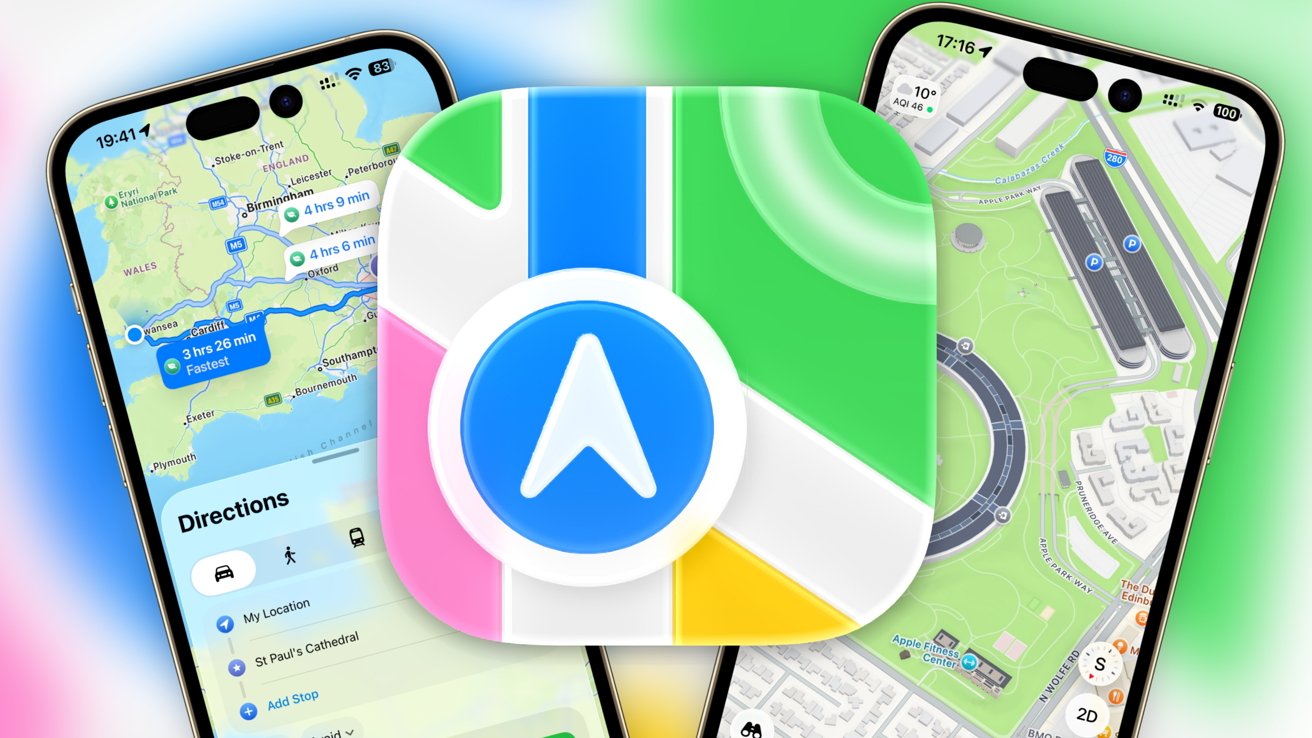
Apple Maps has transformed significantly since its troubled launch in 2012. Now, with the release of iOS 26, Apple continues to enhance its navigation app, making it one of the most frequently used applications on the iPhone. Users can navigate effortlessly while also accessing a variety of features designed to improve their travel experiences.
Despite its rocky beginnings, Apple Maps has evolved into a comprehensive navigation tool that provides more than just turn-by-turn directions. Users can now book rides, navigate public transport systems, and explore guides for future destinations. The latest version introduces features such as Recent Places, preferred routes, and predicted destinations, all aimed at making navigation more intuitive and user-friendly.
Apple Maps: A Journey Through History
Initially, Apple relied on Google Maps for its mapping needs. In an effort to establish its independence, Apple launched its own mapping service in 2012. Unfortunately, the launch was plagued by significant errors, including inaccurate data and poor 3D rendering. This led to a public apology from Tim Cook and the recommendation of alternative mapping applications until the issues were resolved. The backlash resulted in the departure of Scott Forstall, the former Senior Vice President of iOS Software.
In subsequent years, Apple worked to regain user trust by introducing CarPlay, which integrated with Apple Maps, and acquiring several mapping data companies in 2013. The app saw gradual improvements, including public transportation features in iOS 9 and a redesigned interface in iOS 10. The introduction of a dedicated vehicle fleet to gather mapping data in 2018 marked a significant turning point, culminating in a complete transition to in-house data by January 2020.
The updates continued with the WWDC 2020 presentation, which introduced Guides, cycling routes, and various enhancements for drivers. Subsequent years saw the addition of features like accident reporting, COVID-19 vaccination locations, and improvements in 3D views. iOS 26 brings additional tools for hikers and offline map support, further expanding the app’s capabilities.
Exploring the Features of Apple Maps in iOS 26
Upon opening Apple Maps, users are greeted with a map displaying their current location, represented by a blue dot. The top half of the screen presents the map, while a lower section offers quick access to essential features. The weather icon in the top left corner provides real-time data about the area, while the bottom right corner features navigation options, including the ability to switch between 2D and 3D views.
The app’s interface allows for seamless navigation through gestures. Users can swipe to explore the map, zoom in and out with pinch gestures, and rotate the view for a better perspective. The map modes include Explore for general navigation, Driving for traffic assistance, and Satellite for a bird’s-eye view.
The lower section of the main view is packed with useful information. Users can access search options for locations, view recent searches, and utilize Siri suggestions based on their previous activity. The Profile section provides a comprehensive overview of saved locations, preferences, and routes. New in iOS 26, the Visited Places feature tracks locations users have frequented, offering a historical perspective on their travels.
Apple Maps also includes an offline mode, enabling users to download maps for areas where data coverage may be limited. This feature is particularly beneficial for travelers looking to avoid roaming charges or navigate in remote locations.
When it comes to navigation, Apple Maps excels in providing detailed turn-by-turn directions. To initiate navigation, users can select a destination and view all available routes, including options for driving, walking, cycling, and public transport. The app offers valuable information such as elevation data for walking or cycling routes and an easy breakdown of public transport options.
Apple Maps has made significant strides since its initial challenges, evolving into a robust navigation tool that caters to a diverse range of user needs. With the latest updates in iOS 26, Apple Maps continues to enhance user experience, providing a comprehensive suite of features that make navigation more accessible and enjoyable for iPhone users worldwide.












Revolutionary Photonic Ski-Jump Could Miniaturize LiDAR Systems

Couples Detox from Plastics in New Netflix Doc: Can It Boost Fertility?

Aventon Launches Affordable Full-Suspension Electric Mountain Bike

Discover Eight Must-Try Restaurants This Spring Season

UC Irvine Team Unveils Innovative Ion Pump for Water Treatment

One-Third of Americans Trim Daily Expenses for Healthcare Needs

Apple Secures First Oscar in Three Years with F1: The Movie

Fourth Graders Celebrate St. Patrick’s Day with Creative Weather Drawings

Kim Kardashian Dazzles at Vanity Fair Oscars Party 2026

Nostradamus’ 2026 Predictions: Star Death and Dark Events Loom

Breakthroughs and Challenges Await Science in 2026

Electric Moto Influencer Surronster Arrested in Tijuana

OpenAI to Implement Age Verification for ChatGPT by December 2025

Discover the Top 10 Calorie Counting Apps of 2025

Bella Hadid Shares Health Update After Treatment for Lyme Disease

Analysts Project Stronger Growth for Apple’s iPhone 17 Lineup

Japanese Study Finds Rose Oil Can Increase Brain Gray Matter

Top 10 Penny Stocks to Watch in 2026 for Strong Returns
-
 Science3 months ago
Nostradamus’ 2026 Predictions: Star Death and Dark Events Loom
-
 Science4 months ago
Breakthroughs and Challenges Await Science in 2026
-
 Technology7 months ago
Electric Moto Influencer Surronster Arrested in Tijuana
-
 Technology4 months ago
OpenAI to Implement Age Verification for ChatGPT by December 2025
-
 Technology9 months ago
Discover the Top 10 Calorie Counting Apps of 2025
-
 Health7 months ago
Bella Hadid Shares Health Update After Treatment for Lyme Disease
-
 Health7 months ago
Analysts Project Stronger Growth for Apple’s iPhone 17 Lineup
-
 Health7 months ago
Japanese Study Finds Rose Oil Can Increase Brain Gray Matter
-
 Technology4 months ago
Top 10 Penny Stocks to Watch in 2026 for Strong Returns
-

 Science6 months ago
Starship V3 Set for 2026 Launch After Successful Final Test of Version 2
-

 Technology1 month ago
Nvidia GTC 2026: Major Announcements Expected for AI and Hardware
-

 Education7 months ago
Harvard Secures Court Victory Over Federal Funding Cuts