
Technology
Home Network Issues: Five Common Causes Beyond Your Router

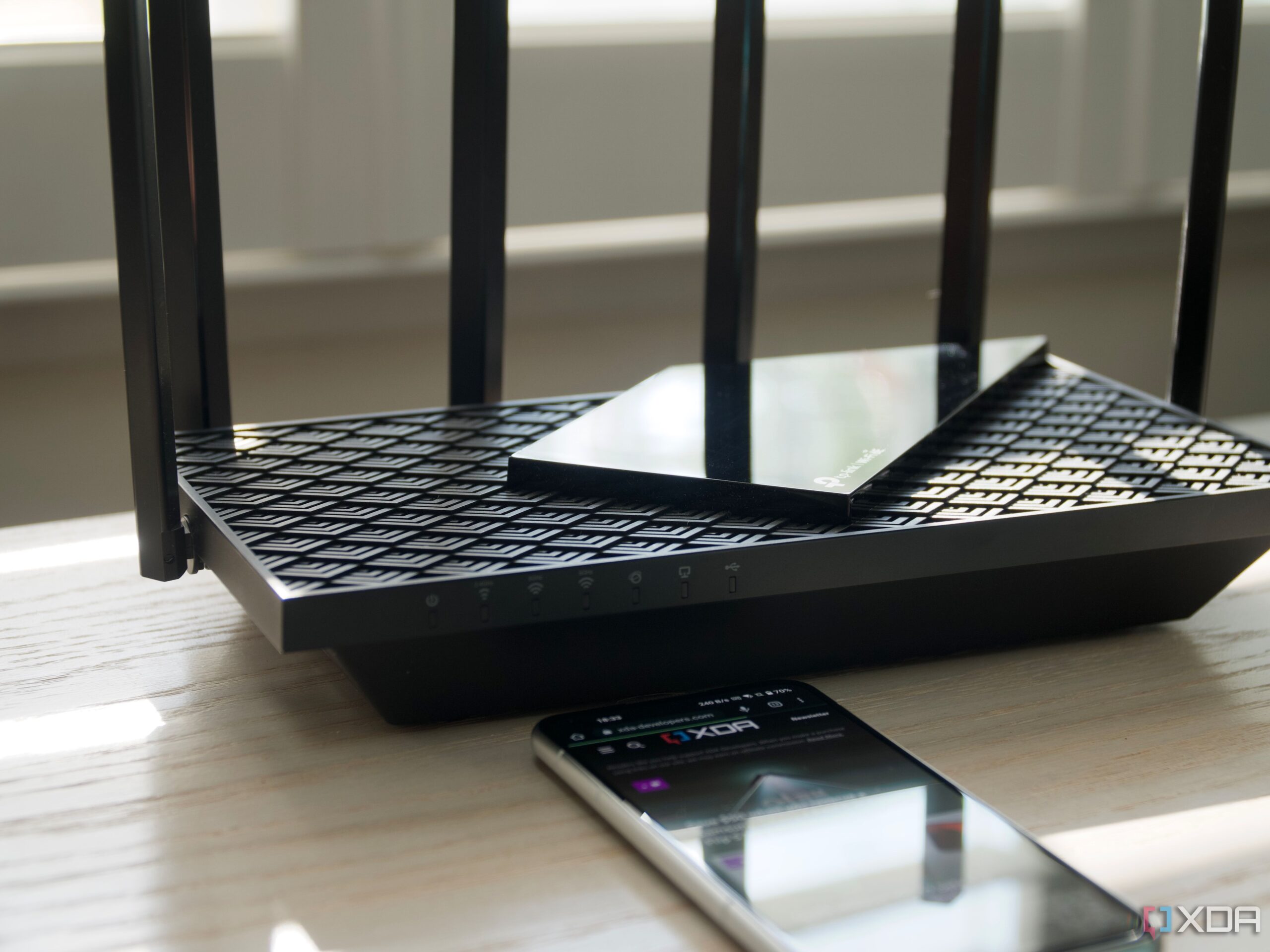
Experiencing slow speeds or interruptions on your home network can be frustrating, especially when the first instinct is to blame the router. While the router is often a key component, several other factors can significantly impact network performance. Understanding these potential issues can help users troubleshoot more effectively and maintain a seamless online experience.
Physical Connection Problems
One of the first areas to investigate when facing network slowdowns is physical connections. Damaged or poorly connected cables can drastically reduce performance. For instance, if you are using Gigabit equipment, a faulty Local Area Network (LAN) cable may cause speeds to drop to 100 Mbps, a tenfold decrease in potential bandwidth.
It’s essential to check not just the cables but also the connectors and ports. A cable’s minimum bend radius should be adhered to; exceeding this can lead to cracking or broken conductors. Such physical layer issues can create Cyclic Redundancy Check storms, resulting in continuous data requests and lower data rates.
Time Synchronization Issues
Another critical aspect of a well-functioning network is accurate timekeeping, which is facilitated by the Network Time Protocol (NTP). Many security tools rely on precise timestamps for various functions, including encryption and authentication. However, discrepancies can arise if devices do not synchronize correctly.
Many Internet of Things (IoT) devices depend on a central device for time, which can lead to complications if that device is incorrectly configured. Setting up a personal NTP server can help ensure that all devices on the network maintain accurate time, reducing the chances of errors related to time discrepancies.
Wireless Interference and Signal Quality
While the router is often the first suspect when experiencing slow Wi-Fi, external factors may be at play. Interference from other wireless devices, such as cordless phones and baby monitors, can muddy the airwaves, affecting signal quality.
Additionally, the distance from the router can significantly impact performance. If you are utilizing Wi-Fi extenders, they can further exacerbate the problem by halving the available speed due to their operational mechanics. Understanding these dynamics can help users optimize their network setups for better performance.
Client-Side Network Interface Issues
The performance of a home network is a two-way street, and issues on the client side can contribute to connectivity problems. Outdated computer drivers, filled caches, and poor device placement can all lead to slower speeds.
Smart devices, including televisions and streaming boxes, often feature suboptimal networking hardware, which can affect performance. Recognizing that the router is not solely responsible for network issues allows users to look beyond it and address potential problems on client devices.
Cloud Service Outages
As homes become increasingly reliant on cloud services for smart devices, outages on the service provider’s end can disrupt functionality. Many common household devices, from smart lighting to robot vacuums, require cloud access to operate optimally.
In light of this, some users have opted to switch to locally controlled devices, which can maintain functionality even during internet outages. This shift not only improves reliability but also enhances the overall performance of the home network.
While a router plays a central role in a home network, understanding the various factors that can lead to connectivity issues is essential for effective troubleshooting. Users should regularly check physical connections, ensure devices are synchronized accurately, and be aware of external interference. By addressing these aspects, individuals can foster a more stable and efficient online experience.



SpaceX’s Falcon 9 Rocket Tested Ahead of Crew-12 Launch

Unlock Your Hip Mobility with These Four Dynamic Exercises

Wilkes-Barre Area High School Celebrates First Quarter Honor Roll

Eureka J15 Pro Ultra Robot Vacuum: A Mixed Bag of Features

Marin Graduate Utilizes AI to Enhance Data on Northern Lights

Community Mourns Loss of Robert “Bob” Briere at 67

Rowan County Museum Launches Engaging History Series for All

Saucony Launches Vibrant “Vizigold” Yellow ProGrid Omni 9

Terrain Shapes Wolf Control’s Impact on Caribou Calf Survival

Nostradamus’ 2026 Predictions: Star Death and Dark Events Loom

OpenAI to Implement Age Verification for ChatGPT by December 2025

Discover the Top 10 Calorie Counting Apps of 2025

Bella Hadid Shares Health Update After Treatment for Lyme Disease

Analysts Project Stronger Growth for Apple’s iPhone 17 Lineup

Electric Moto Influencer Surronster Arrested in Tijuana

Breakthroughs and Challenges Await Science in 2026

Harvard Secures Court Victory Over Federal Funding Cuts

Erin Bates Shares Recovery Update Following Sepsis Complications
-
 Science1 month ago
Nostradamus’ 2026 Predictions: Star Death and Dark Events Loom
-
 Technology2 months ago
OpenAI to Implement Age Verification for ChatGPT by December 2025
-
 Technology7 months ago
Discover the Top 10 Calorie Counting Apps of 2025
-
 Health5 months ago
Bella Hadid Shares Health Update After Treatment for Lyme Disease
-
 Health5 months ago
Analysts Project Stronger Growth for Apple’s iPhone 17 Lineup
-
 Technology5 months ago
Electric Moto Influencer Surronster Arrested in Tijuana
-
 Science2 months ago
Breakthroughs and Challenges Await Science in 2026
-
 Education5 months ago
Harvard Secures Court Victory Over Federal Funding Cuts
-
 Health5 months ago
Erin Bates Shares Recovery Update Following Sepsis Complications
-

 Science4 months ago
Starship V3 Set for 2026 Launch After Successful Final Test of Version 2
-

 Technology7 months ago
Meta Initiates $60B AI Data Center Expansion, Starting in Ohio
-

 Technology6 months ago
Discover How to Reverse Image Search Using ChatGPT Effortlessly